Notifications
Notifying others of your preferences is critical to ensuring that your wishes are carried out as intended. At Memoralise, we appreciate that everyone's situation is different and you may wish to have instructions carried out by different people. We make this possible through the use of nominated contacts.
Nominated Contacts
Memoralise offers a service where you can link key documents or instructions to your nominated contacts. Nominated contacts are people selected by you, with the contact opting in to the service and agreeing to be contacted by us when it becomes time for your instructions to be carried out. This could be in the event of you becoming seriously ill or passing away. Clear instructions can be crucial to ensuring that the right people are notified and gain access to the right documents/instructions in a timely fashion.
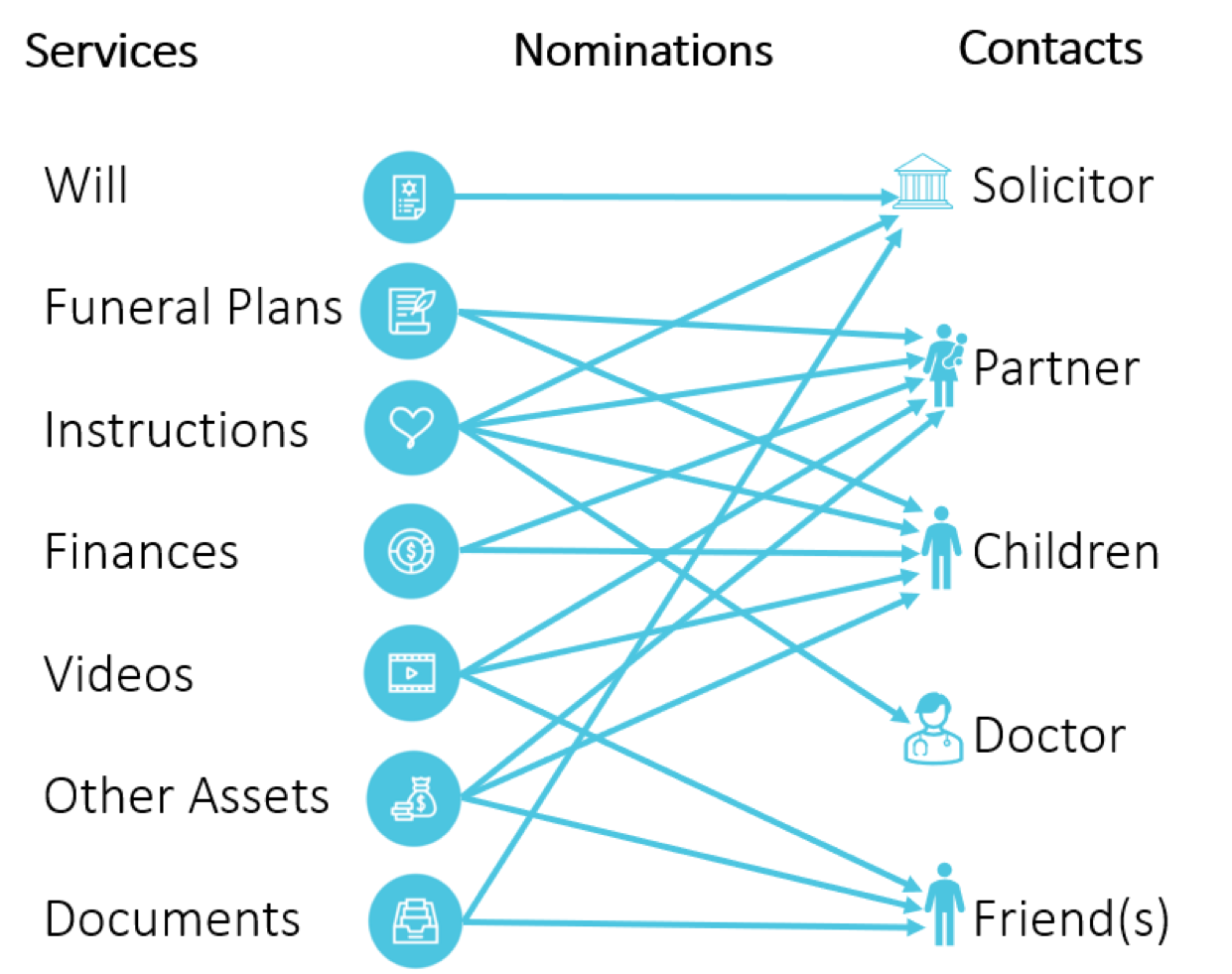
Nominated contacts are added by you when your account is set up and you can modify them at any time. As shown in the diagram below, you can allocate contacts to any of the services you have with Memoralise. They can be added individually or in bulk, meaning you can nominate one contact to receive information about all your services, or just a single service. You can even link contacts to a specific video or document. The system is completely flexible and entirely up to you.
An example of how nominated contacts could be allocated to services is shown below:
How it works
1. Enter the details of your nominated contacts
Enter the Name and contact details of your nominated contacts. Once this is done, Memoralise will contact them via email or SMS and make them aware of your nomination.
2. Nomination Acceptance
Memoralise members receive updates on the status of nomination requests. Once a contact has accepted your nomination they will be available to link to any of the services you are using. You are welcome to reach out to your contacts and encourage them to accept nomination.
3. Linking to Services
Once a contact has accepted your nomination they will be available to link to any documents or services that you wish.